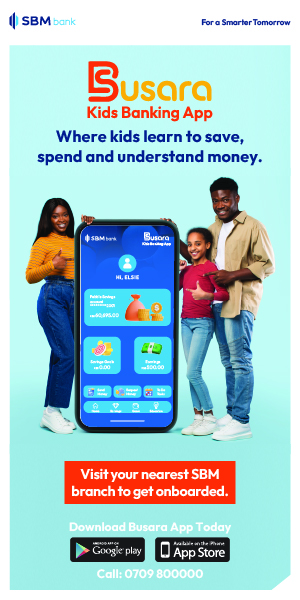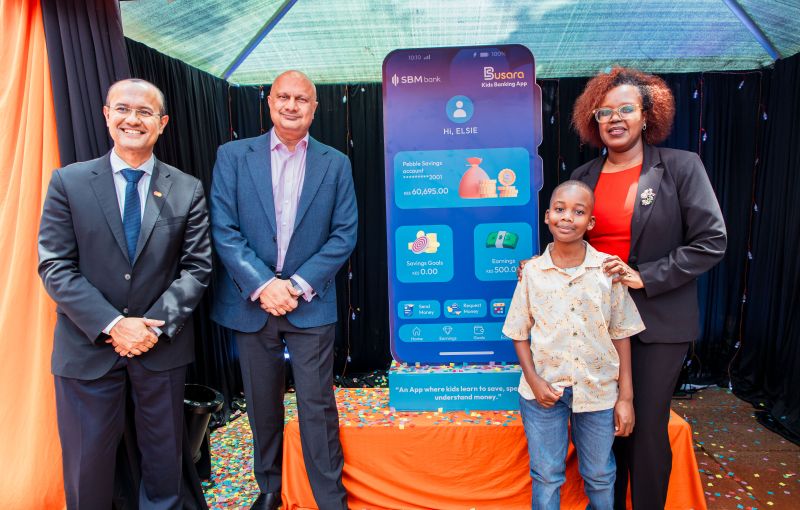
What is Busara banking app?
This is a mobile application innovation by SBM Bank Kenya which allows children between the age of 6 to 17 or 18 years to earn, save, spend and understand money in a parent controlled & guided environment. Children complete tasks and receive real money rewards from their parent/guardian through Busara app. This innovation is the first of its kind in Kenya, Africa and arguably in the world and its goal is to support families in raising financially empowered children/youth.
Busara is a Swahili word meaning wisdom, prudence, or good judgment. SBM bank is contributing in imparting financial wisdom and skills onto the next generation.
Children need to have Pebble Savings account which is linked to their parents' account at SBM Bank to access Busara app.
The Problem Busara App solves:
Kenya’s financial literacy gap doesn’t start in adulthood. It starts at home, the moment a parent hands over pocket money with no system behind it, no lesson attached, and no habit formed. Children are told to save but are never shown how. They spend without control and earn without understanding why.
Financial education workshops teach money in the abstract, far from real decisions and real consequences. Children learn the theory, then move on without changing.
The Busara Banking App gives parents a structured, secure and engaging way to guide their children’s financial journeys through everyday learning. It also enables children to practice and develop a sense of agency and autonomy on making financial decisions.
The children are also registered issued with a prepaid card which complements the Busara app, as a channel for accessing and utilizing the funds from their allocation in the app. This further strengthens their confidence and exposure on financial matters as they interact with payment systems.
By linking chores and tasks to digital payments and tying those payments to clear savings goals, the app turns everyday routines into a system that builds real money habits. The parent and child interaction on the app does not end with completion of chores
It allows for setting of median to longer term savings goals which have phases or milestones for example: a holiday trip, gadget purchase, science, arts and crafts projects or college fund, that the child regularly funds over weeks or months duration using money earned from completed tasks.
The interaction around follow through on tasks and rewards is not a one-off lesson or a conversation that fades. It is a repeatable loop: perform a task, earn, choose to save or spend, and learn. Week after week, those small decisions compound into lasting financial discipline.
How the Busara App works:
The parent assigns tasks eg. chores, projects, milestones, targets to the child through the SBM Bank Mfukoni mobile app and attach a real money reward to each task. The child will log into the Busara Kids App, view To Do Tasks that have been assigned by the parent. When a child completes a task, they attach a photo to show evidence of completion of the task and submits to the parent.
The parent logs into the SBM Bank Mfukoni mobile app, reviews the competed tasks and the evidence submitted then approves, system will automatically debit the parent SBM account with the reward value and credit into the child’s Pebble Savings Busara Account.
The child is encouraged to create multiple savings goals using the Busara App and allocate their earnings towards achieving their savings goals. The child can also access the funds in their account by cash withdrawal at an SBM branch (accompanied by the parent) or loading funds on their prepaid card for shopping under parental approval.
This interactive structure helps children understand the link between effort, reward, and responsible spending.
In addition to the tasks-and-reward system, the Busara Banking App offers educational tips and age-appropriate financial learning content to help parents guide their children’s understanding of money.
The platform shares simple insights on saving, responsible spending, goal setting, and the value of money, helping families have meaningful conversations about finances in an engaging, practical way.
How to get started with the Busara App:
Both the parent and child are required to have an account at SBM Bank.
Step 1: Onboarding the Family Banking-Parent app
- Customers visit any SBM Branch and open a Pebble Savings Account for their child/children and a personal account for the parent.
- Parent registers for mobile banking and accesses Family Banking App through Mfukoni. Click on Family Banking Section.
- Accept terms and conditions & select Parent Primary Account for Family Banking.
- Enter OTP
Step 2: Enroll the child/children
- Parent access Family Banking App through Mfukoni. Click on Family Banking Section and ADD's child.
- A QR Code is generated, parent shares the QR with child to register for the Busara banking app on their device. Parent can also Screenshot & save the QR in photo gallery. The child Busara app requires scanning of the QR code in order to access the Busara child’s profile.
- The Busara Child App can be installed in both the Parent and Child devices.
Busara Child Services: Setting goals on Busara app
- Select Goals icon, click Create New Goal, select from available options, enter the goal amount and description. Click Create button.
Busara Child Services: Assigning tasks
- Parent logs into SBM Mfukoni mobile app, selects Family Banking.
- Select the icon ‘add task’ , select child, and choose from the tasks listed or create new task.
- Indicate the amount/reward for the task, then enter a description of the task to be completed and the due date.
- Press ‘complete.’
- This task will reflect on the child’s Busara app for viewing, updating and uploading images evidence once completed.
Busara Child Services: Access of funds
Child first creates Payee beneficiary. Submission will go to parent app Mfukoni for approval. Once approved, payee are then accessible in the BUSARA app and child can send money to Parent Account. Parent can set approval limits in Mfukoni App. Child can send money without parent review and approval provided it’s below the approval limits set by the parent. Amounts above the limit will be forwarded to the parent for review and approval.
- Withdrawal of cash via bank: Child is accompanied by the parent to any of SBM bank branches for over the counter cash withdrawal.
- Access via prepaid card: Child funds their prepaid card, parent approves the amount requested. Funds are loaded onto the prepaid card and child can shop using the prepaid cards at merchant stores.
Other important features on Busara Banking app
- Children are able to access educational content to build their financial management skills. These cover aspects such as: How to budget, set goals, grow your savings etc.
- Children can personalized the app to their preferred themes, nicknames and avatars.
- Children can monitor their Pebble savings account balances, full statements, children can request money from the parent and refer the app to their friends
Parent Mfukoni App Family Banking Functionalities:
- Add children.
- Link prepaid card to a child’s profile.
- View child Pebble acc statement & activities.
- Assign/View/Manage/Approve tasks.
- Create/view Savings Goals.
- View child earnings.
- Manage transaction limits.
- Manage child controls.
- Approve transaction requests.
- Transfer funds to child account or prepaid card.
- Manage child prepaid card & controls.
Building financial discipline and smart money habits in children is now easy and accesible. To get started, download Busara app on play and apple store today.